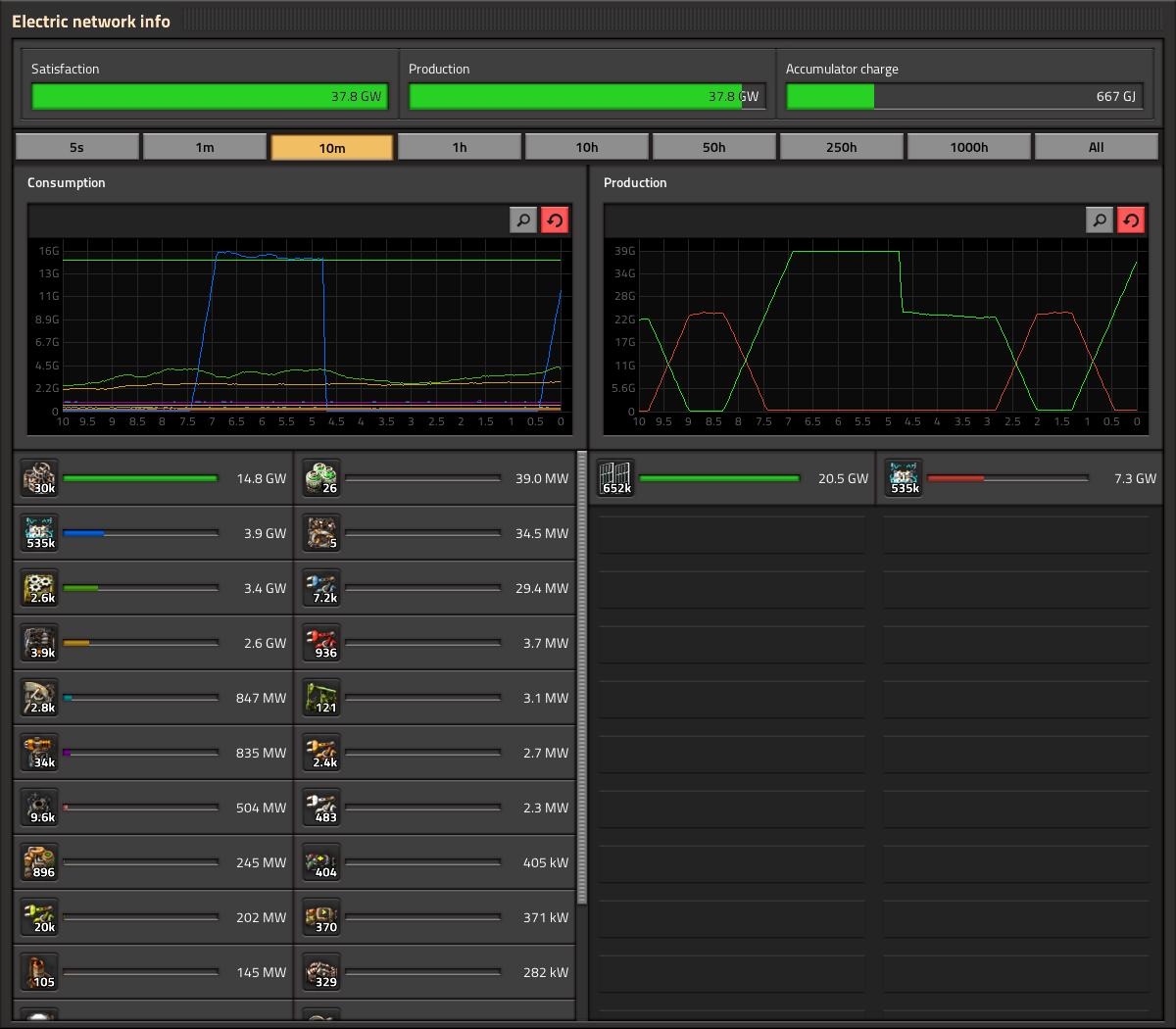
Statistics GUI Klonan, Oxyd The statistics GUI (electric network stats, production stats, etc.) is one of the GUIs that has been in the game for a very long time, and has had its functionality fleshed out reasonably over the years. It was not long ago when Twinsen added hovering and highlighting to the graphs. Given that, and the relatively short timeframe for 1.0 release, the update of the statistics GUI has really just been a style update, no new features or heavy logic rewriting. Oxyd has most of the work done, so we are happy to show some real in-game screenshots of how it looks: A notable change with the electric stats is that the Satisfaction/Production/Accumulator charge are next to each other in a single row, as opposed to each in a separate row. The label for the exact amount has also been moved to inside of the progress bar, which itself is much thicker. The production stats are pretty much the same functionality wise. One new button you might spot is the search button. However there are some problems with the search feature. As you can see, production and consumption frames have a different search box independent from each other. The main problem is when pressing CTRL+F to perform a regular search: How do we know which frame to open? Of course this could lead to different solutions like the use of a cycle for the focus of the search, in which the second time you press CTRL+F the other frame gets the focus. Or both of the search boxes open at the same time but only one gets the focus. Or only one frame gets the focus and the other one works only by pressing the button. But let's face it, these "solutions" are not solid at all and create inconsistency in the main design. To solve this issue we decided that the simplest way to go is the use of just one search box on the header of the panel. This new location works as a general feature for the entire panel. One single search gives you 2 results, one on each frame. This solution is used in the new character window -to come soon- making it consistent with the whole design of the GUI. You can also see we took this opportunity to integrate the Kill statistics in with the rest, instead of being its own window with its own hotkey. The Statistics GUIs will need a few tweaks and polishings here and there before it is ready for release, but unless something unexpected happens you can expect it coming out in a release soon.
Hello dear biters and related species from unexplored planet full of life and natural resources. Recently I have been working on several high resolution graphics for your best friends - the tank and the player character. In this article I would like to show their updated visuals to you, as well as a sneak peek at how they are produced. The following text may contain traces of automation.
It’s been several weeks since we showed you the graphics for new high resolution circuit connector modules (FFF-202). However now is finally the time when we have them in the game. In this article I will briefly show you what was done both in the graphics and code, and what new benefits are there for you as players and modders. I find the 0.15 version of the circuit connector module has following “problems”: The wire connectors are different from the combinators. Wires sometimes completely overlap, making only one of them properly visible. Modularity - you can somewhat tell what is happening based on the LED states, but it could be much nicer. Connecting a belt always looks weird, while the yellow structure which holds the connector box could be made more specific. Some of the rotations are utterly useless. The Lua definitions are spread over every single entity, so revisiting them all is a big pain.
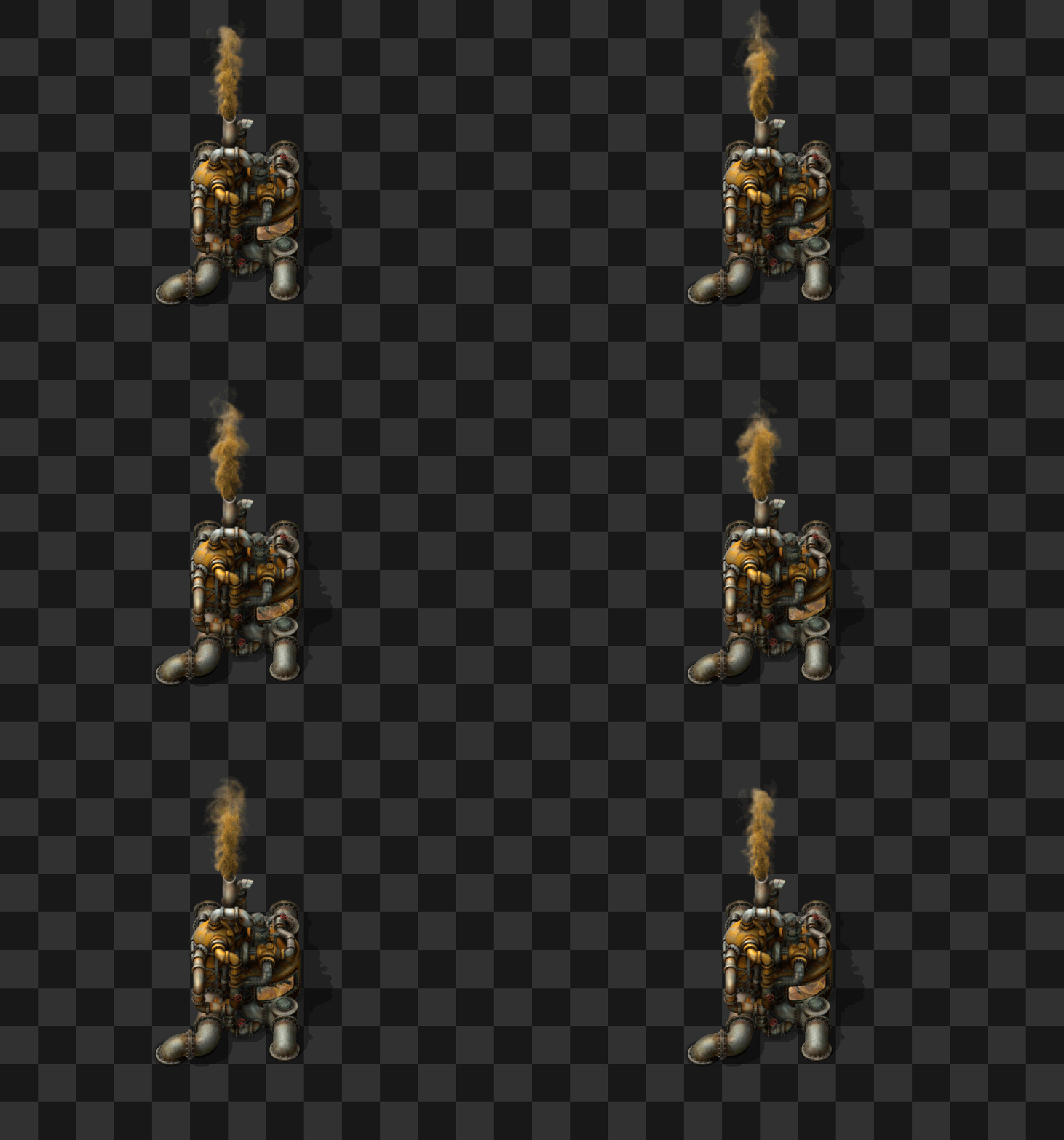
Hello, the bugfixing period boringly continues, we got down to 159 active bug reports, so in few weeks we should be finally down with this burden. But at least the graphics department has something new to show:

Hello, let me show you another dose of things we just can't stop ourselves from doing.
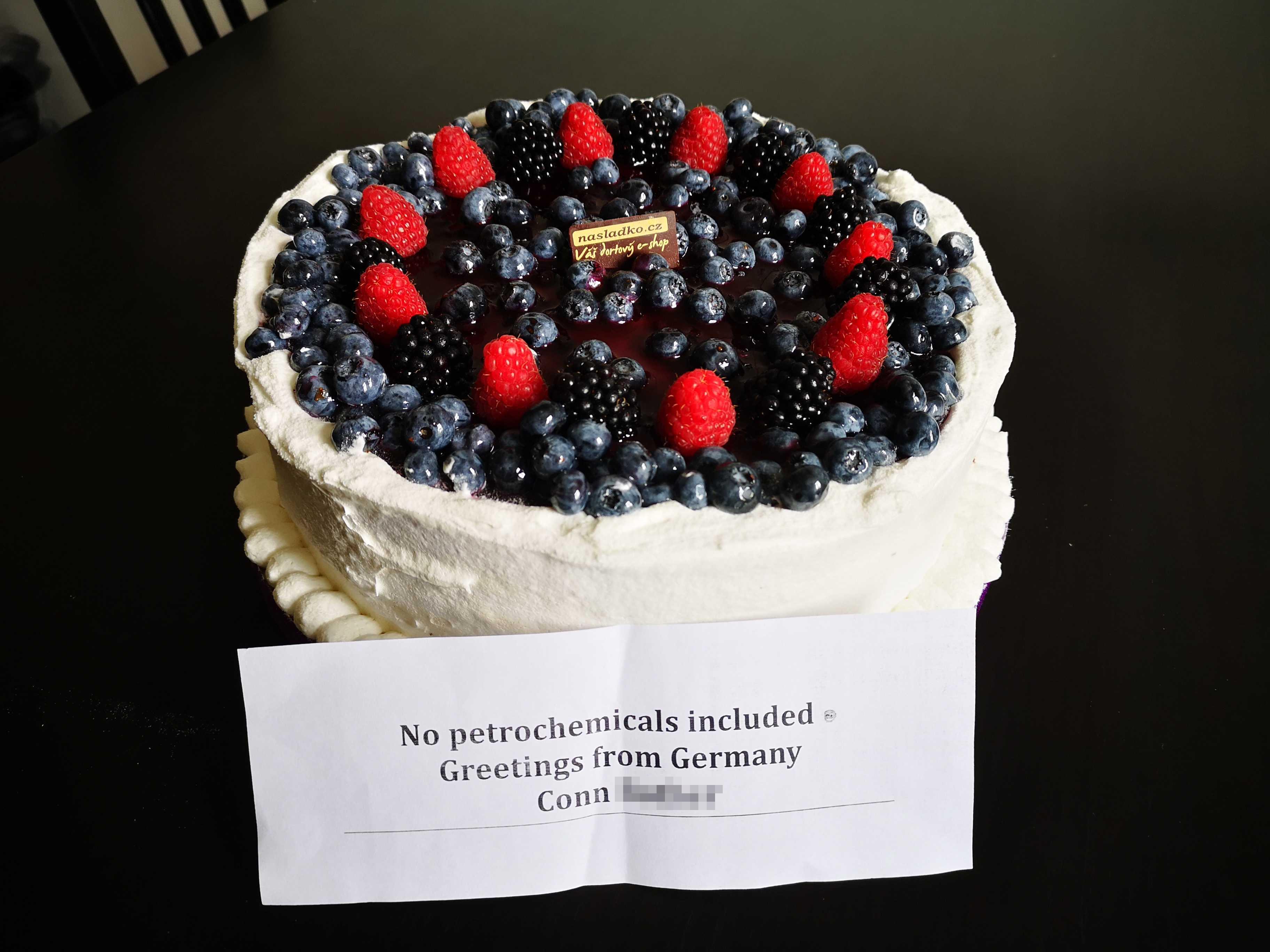
Hello, We had a lovely surprise waiting us this Monday, one of our fans had sent us a delicious cake: It didn't last very long... Thank you very much Conn! It certainly helped with the bug fixing push this week.
Hello, We have had quite a peaceful week here in the office. Last night we went out for a burger and a beer as a last meal with Ernestas before he flies back home for another few months. It was also quite nostalgic, as we went to a place that we used to go to frequently near our old office, and the staff still remembered us.

Hello, We know you love to blow things up, and the Space Age expansion will be bringing ever more advanced and powerful ways of bearing arms against your enemies.

The beacon is one of the last entities left to convert to HR. As always, before 'just re-rendering' we take the chance to re-think the concept and modernize it. This post will try to go a bit deeper in the process of redesigning such an entity.
